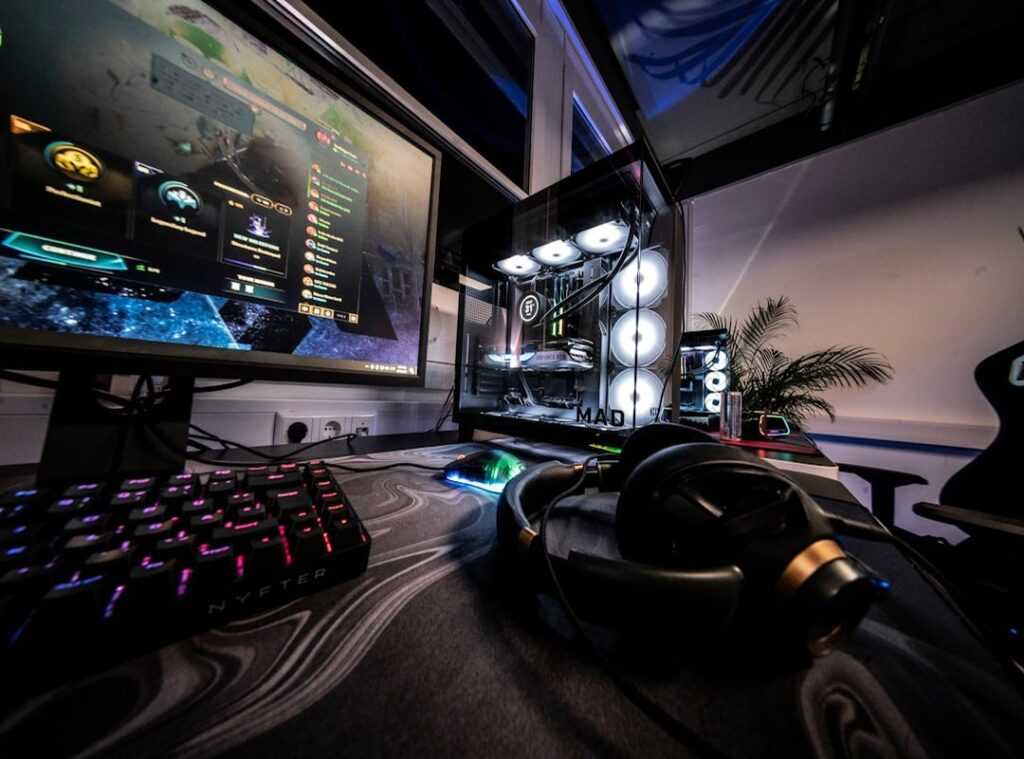
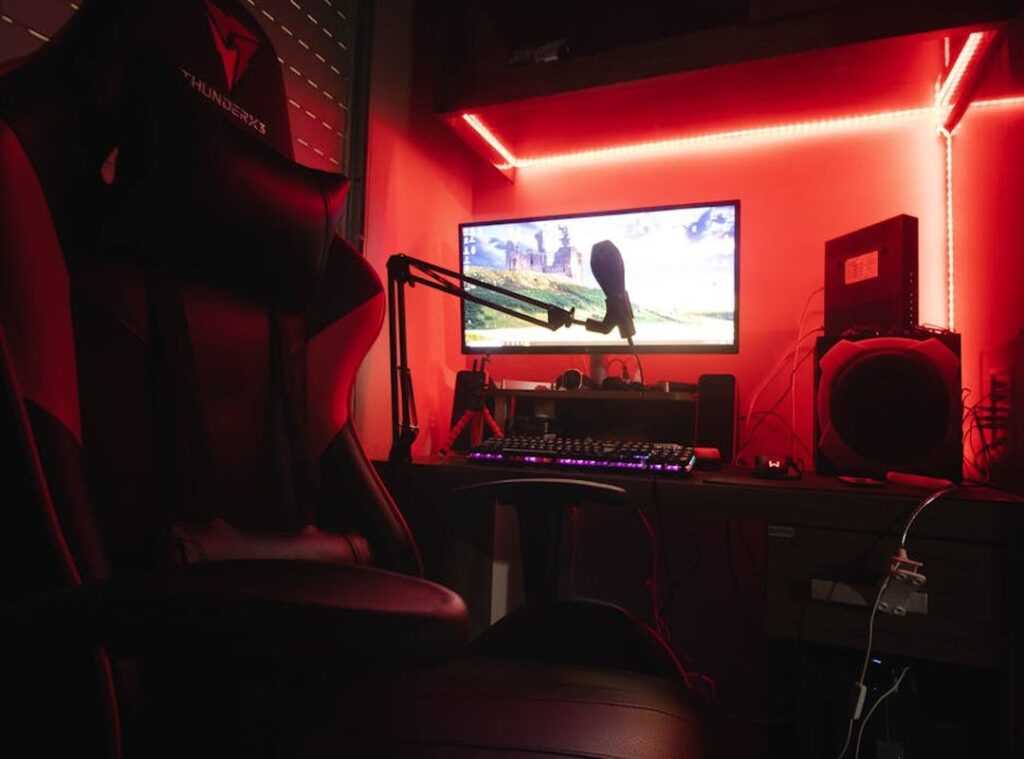
Ever feel like your top-tier gaming rig is just… meh? You’ve got the hardware, but something’s off. It’s probably the lighting.
I’ve spent years turning dull desks into immersive battlestations. Trust me, lighting is the unsung hero of gaming. It’s not just about slapping on more RGB (though, I get the temptation).
It’s about understanding how light impacts not just the vibe but your actual performance.
You want gaming lighting tips that don’t waste your time, right? This article cuts the fluff. We’ll dig into color theory, placement magic, and software tricks you didn’t know you needed.
Your eyes will thank you, too (less strain means longer sessions). You’re here for expert advice, and that’s what you’ll get. Ready to transform your gaming space into an epic battlestation?
Let’s dive in.
Light It Right: The Bias Lighting Game Changer
You ever sit in the dark, eyes glued to your glowing screen, and wonder why your head hurts? Enter bias lighting. It’s a simple fix: just a soft, neutral light behind your monitor.
This isn’t just a trick for pretty Instagram setups. It’s a real solution to reduce eye fatigue and those gaming-induced headaches. Why?
Because it softens the harsh contrast between your bright screen and the dark room.
But let’s dive deeper. The magic doesn’t stop at comfort. Bias lighting also improves the on-screen contrast.
Suddenly, those deep blacks look even richer, and the colors? They pop like never before. It’s like upgrading your monitor without spending a fortune.
Speaking of spending, not all bias lighting setups need to break the bank.
A basic USB-powered LED strip can do wonders. You can find these for a few bucks online. For those who want to go all out, consider a dedicated bias lighting kit.
Brands like MediaLight or Luminoodle offer some top-tier options. They even come with handy features like dimming and remote control.
Now, here’s a pro tip: Aim for a color temperature of 6500K. This neutral white light mimics daylight, ensuring no color distortion on your screen. And hey, while we’re on the topic of optimizing your setup, check out this diy cable management gaming setup.
It’s all about perfecting that gaming space.
In the end, bias lighting isn’t just a cool addition. It’s a necessity for any serious gamer. Got more gaming lighting tips?
Keep tweaking until it feels just right. Your eyes (and your sanity) will thank you.
Painting with Light: RGB Strips & Smart Bulbs
Let’s talk about lighting up your game space. Not just any lighting, but the kind that makes your setup pop. Gaming lighting tips often revolve around LED strips and smart bulbs. These are your best friends.
Why? Because LED strips are perfect for accent and task lighting. Think desk edges or behind monitors.
They just scream “I’m ready for action!” On the other hand, smart bulbs fill the entire room with ambient color. Ideal for lamps and ceiling fixtures.
Here’s where it gets interesting: the tech-savvy side. Addressable RGB (ARGB) is the star of the show. Unlike standard RGB, ARGB lets you control each LED individually.
This means gradients and complex effects. You want a rainbow wave? You got it.
You want a pulsating glow that matches your music? ARGB handles that too. It’s like painting with light.
When you’re buying, don’t just grab the first thing you see. Look for brightness (measured in lumens), color accuracy (CRI), and space compatibility. These are key, really.
Philips Hue, Govee, Nanoleaf. They all have their strengths. Pick one that matches your gear.
Placement is key. Run strips along the back edge of a desk for a wall-glow effect. Instantly elevates the vibe.
Trust me, your eyes will thank you later.
Place a smart bulb in a lamp in the corner to serve as ‘fill’ light. It changes the whole feel of the room. And use light bars to ‘wash’ walls with color.
It’s like an artist’s brushstroke, but with LEDs.
For more on lighting strategies, check out the important guide to game room lighting. It’s packed with takeaways and ideas. Lighting isn’t just functional; it’s big.
So go wild, experiment, and let your creativity shine.
Light Layering: The Gaming Setup Game-Changer
Let’s talk light layering. It’s taken from interior design, but I’ve adapted it for gaming. You know how a room can feel flat with just one light source?
Same deal with gaming setups. If you’re serious about your game environment (and who isn’t?), you need to think in layers.
First up, ambient lighting. This is your overall room light. Smart bulbs are great for this.
They let you change the mood with just your phone. Picture a soft blue glow from a corner lamp. It sets the stage, doesn’t it?
This layer is your base.
Next, task lighting. We need focus here. There’s nothing worse than squinting at your keyboard during a late-night raid.
A monitor light bar is perfect. It gives a clean white light right where you need it. No more shadows or eye strain.
This one’s all about functionality.
Finally, accent lighting. This is where the magic happens. Think RGB strips and light panels around your PC and shelves.
Use reactive colors, like orange or red, behind the monitor. It ties the whole setup together and makes everything pop. This is what takes your setup from basic to pro.
When you layer these elements, you avoid that dreaded one-dimensional look. You create depth, and your setup transforms into an immersive experience. It’s not just about looks.
It’s about feeling the game.
And here’s a pro tip: don’t break the bank. Check out budget friendly upgrades gaming setup. You don’t need to spend a fortune to light up your world.
After all, why should your wallet take the hit when there are smarter options out there?
So, what’s your setup looking like right now? Ready to make it epic?
The Ultimate Upgrade: Syncing Your Lights with Games and Audio
Ever heard of reactive lighting? It’s the next-level gaming enhancement. This technology syncs your room’s lights with what’s happening on-screen.
Now, let’s talk software. Corsair iCUE and Razer Chroma RGB are big names in this space. They offer smooth integration with your setup.
We’re talking about hardware and software that make your entire space react to game events or audio cues. Imagine your room pulsing with the beat of the game music or flashing red when you take damage. It’s not just cool; it’s a major competitive differentiator.
Then there’s SignalRGB, an open-source option for those who like to tinker. Each has its own flair, but they all work towards the same goal: total immersion. Some apps mirror your screen to match colors, while others integrate directly with games for specific events.
So how does this change your game? Picture playing Cyberpunk 2077. Your room glows with neon city colors, making you feel like you’re in Night City.
Or in a competitive shooter, peripheral lights might alert you to off-screen threats. It’s immersive, sure, but it also gives you an edge.
In the end, syncing your lights is the final step to a truly cohesive and professional-feeling setup. It’s about more than just aesthetics; it’s about creating an environment where every detail enhances your gaming experience. Curious about more gaming lighting tips?
Dive in and transform your space.
Level Up Your Gaming Atmosphere Tonight
Tired of your dull setup? I get it. Your gaming space should match the thrill of your games.
A thoughtful approach to lighting changes everything. Start with bias lighting for comfort, add ambient lights, and sync it with software for immersion. Want a quick win?
Pick one gaming lighting tips from this guide. Try a simple light strip behind your monitor and feel the difference tonight. Trust me.
Once you see it, you’ll never go back.
 Deloresentia Villanueva writes the kind of core game mechanics and strategies content that people actually send to each other. Not because it's flashy or controversial, but because it's the sort of thing where you read it and immediately think of three people who need to see it. Deloresentia has a talent for identifying the questions that a lot of people have but haven't quite figured out how to articulate yet — and then answering them properly.
They covers a lot of ground: Core Game Mechanics and Strategies, Daily Gaming Setup Hacks, Expert Breakdowns, and plenty of adjacent territory that doesn't always get treated with the same seriousness. The consistency across all of it is a certain kind of respect for the reader. Deloresentia doesn't assume people are stupid, and they doesn't assume they know everything either. They writes for someone who is genuinely trying to figure something out — because that's usually who's actually reading. That assumption shapes everything from how they structures an explanation to how much background they includes before getting to the point.
Beyond the practical stuff, there's something in Deloresentia's writing that reflects a real investment in the subject — not performed enthusiasm, but the kind of sustained interest that produces insight over time. They has been paying attention to core game mechanics and strategies long enough that they notices things a more casual observer would miss. That depth shows up in the work in ways that are hard to fake.
Deloresentia Villanueva writes the kind of core game mechanics and strategies content that people actually send to each other. Not because it's flashy or controversial, but because it's the sort of thing where you read it and immediately think of three people who need to see it. Deloresentia has a talent for identifying the questions that a lot of people have but haven't quite figured out how to articulate yet — and then answering them properly.
They covers a lot of ground: Core Game Mechanics and Strategies, Daily Gaming Setup Hacks, Expert Breakdowns, and plenty of adjacent territory that doesn't always get treated with the same seriousness. The consistency across all of it is a certain kind of respect for the reader. Deloresentia doesn't assume people are stupid, and they doesn't assume they know everything either. They writes for someone who is genuinely trying to figure something out — because that's usually who's actually reading. That assumption shapes everything from how they structures an explanation to how much background they includes before getting to the point.
Beyond the practical stuff, there's something in Deloresentia's writing that reflects a real investment in the subject — not performed enthusiasm, but the kind of sustained interest that produces insight over time. They has been paying attention to core game mechanics and strategies long enough that they notices things a more casual observer would miss. That depth shows up in the work in ways that are hard to fake.